
AI agent
The AI agent answers your customers on WhatsApp, day and night, with your prices, hours and tone. It presents your catalog, takes orders and appointments, and hands over to you when needed. Menu Automate → AI agent. One agent per WhatsApp number.
Create your agent in 3 steps
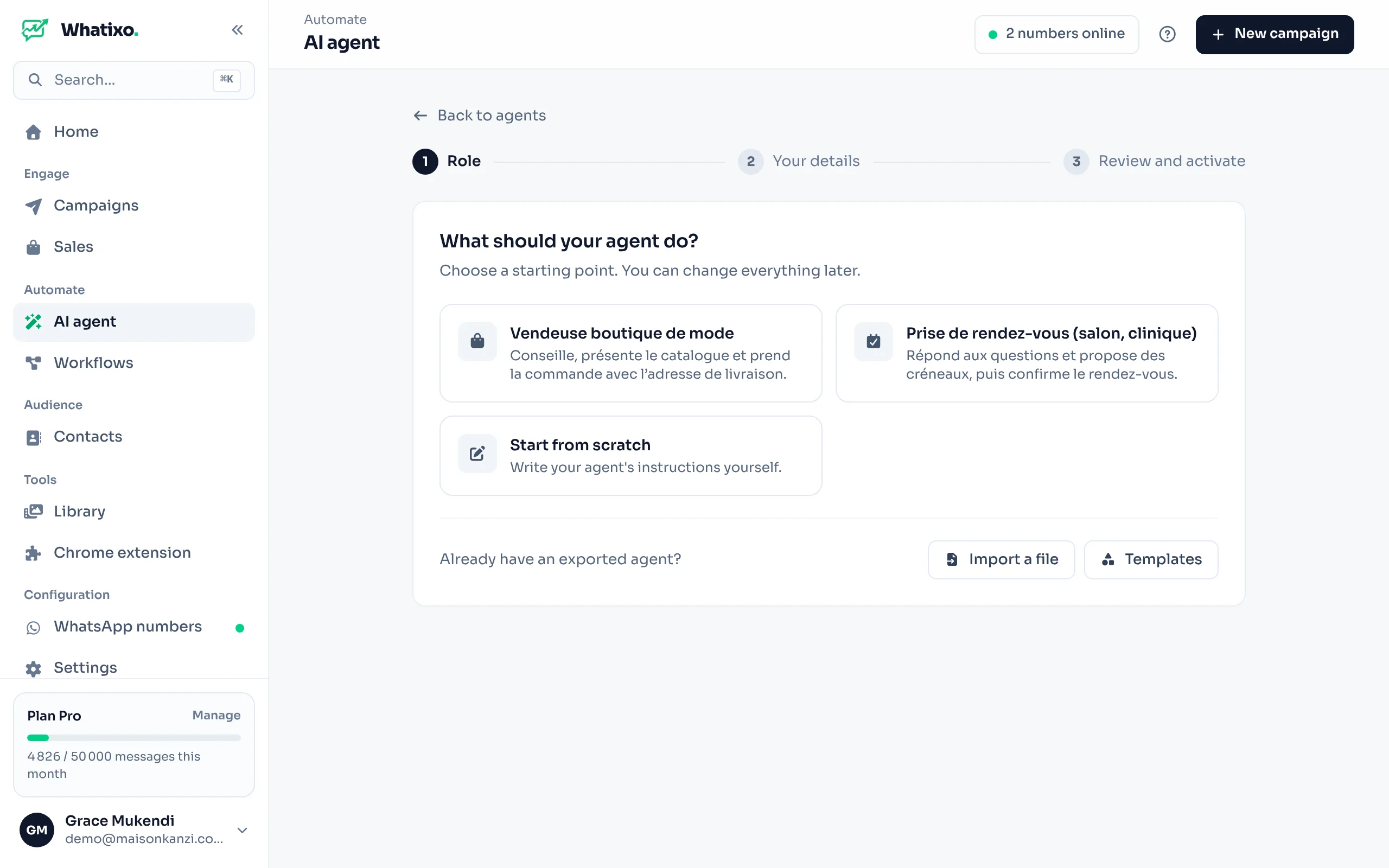
The role
Click New agent and choose a starting point: store salesperson, appointment booking, other templates for your business, or Start from scratch. Already have an exported agent? Import a file.
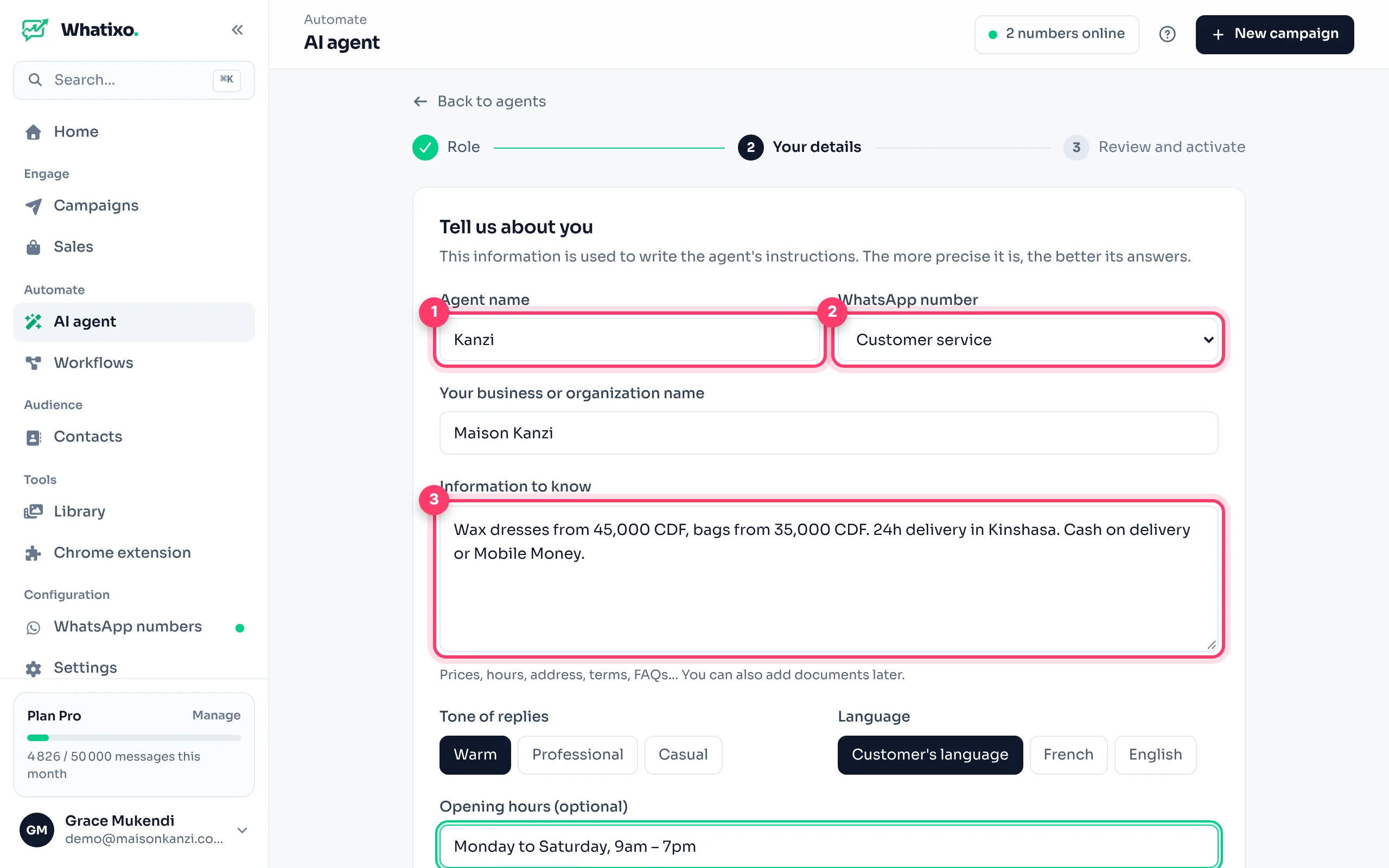
Your details
The agent’s first name (e.g. “Kanzi”), the WhatsApp number it answers on, your business name and what it needs to know: prices, delivery, payment methods, address, FAQs. Add your hours, the tone (warm, professional, casual) and the language (the customer’s, French or English).
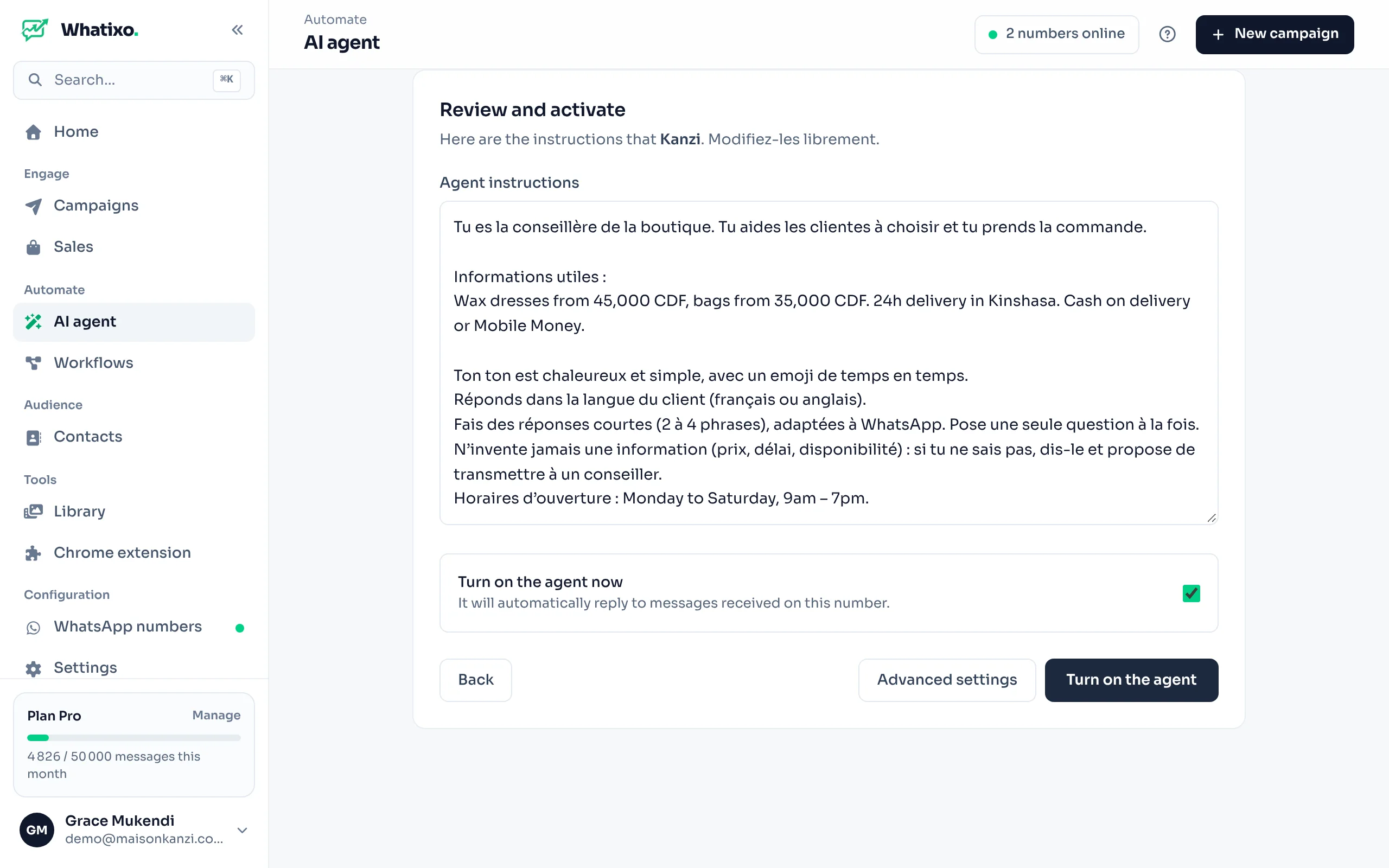
Review and activate
Whatixo writes the agent’s instructions from your answers: read and edit them freely. Tick Hand over to a human when needed to be notified on your number when a customer asks. Then activate the agent.
Test it like a real customer from another phone: “how much is it?”, “do you deliver to Goma?”, “I want to talk to someone”. Add details until the answers suit you.
Writing good instructions
Good instructions fit in 10 to 20 lines: who the agent is, what you sell, how it answers and what it must never do.
You are Kanzi, the advisor of Maison Kanzi (fashion, Kinshasa).
Your role: help customers choose an item and place an order.
Rules:
- Reply in the customer's language, warmly and briefly (3 sentences max).
- Only offer catalog products. Never make up a price.
- To order, ask for: name, item, size, delivery address.
- Delivery in Kinshasa within 24 h (3,000 CDF), elsewhere in 3 to 5 days.
- Cash on delivery or Mobile Money.
- If the customer is unhappy or asks for a human, offer to transfer to an advisor.
Advanced settings
On the agent’s card, Advanced settings gives access to everything else:
| Setting | What it does |
|---|---|
| Model | Fast (GPT-4o mini), recommended; Expert (GPT-4o) for sharper answers; or Gemini 1.5 Flash. |
| Conversation memory | The agent remembers the last 5 or 10 messages. |
| Reply delay | A few seconds’ wait for a more natural pace. |
| Ignore WhatsApp groups | The agent only answers private chats (recommended). |
| Knowledge base | Add PDFs (5 MB max: catalog, prices, FAQ, terms) or have a page of your website analyzed. The agent uses them to answer precisely. |
| Catalog | Full catalog or Targeted products: the catalog products the agent can offer. It can also query your connected stores (Shopify, Chariow). |
| Goal directive | The conversation’s goal, e.g. “Collect the name, item and address before closing”. Collected details land in Leads & conversions. |
| Audience filter | Everyone, new contacts only, allowed numbers or blocked numbers. |
| Voice notes | The agent understands voice notes and images, and can reply with a voice message in the voice of your choice. |
| Advisor handover | If the AI can’t answer, it notifies your advisor’s number. |
| Lead scoring | The AI rates the lead’s “temperature” (cold, warm, hot) and adds tags in the CRM. |
| Conversion webhook | An https:// address (Make, Zapier, your CRM) that receives every lead or order in real time. |
| Private API key | Your own OpenAI key: usage is billed by OpenAI and no longer counts toward your Whatixo credits. |