
WhatsApp follow-up sequences
A sequence sends several messages to a contact, spaced over time, without you having to think about it: a welcome right away, a tip the next day, an offer three days later. Menu Campaigns → WhatsApp, Follow-up sequences tab.
How it works
Each sequence has a trigger tag. As soon as a contact gets this tag (import, manual edit, workflow, AI agent…), they are enrolled and receive step 1, then the next ones according to the delays you set.
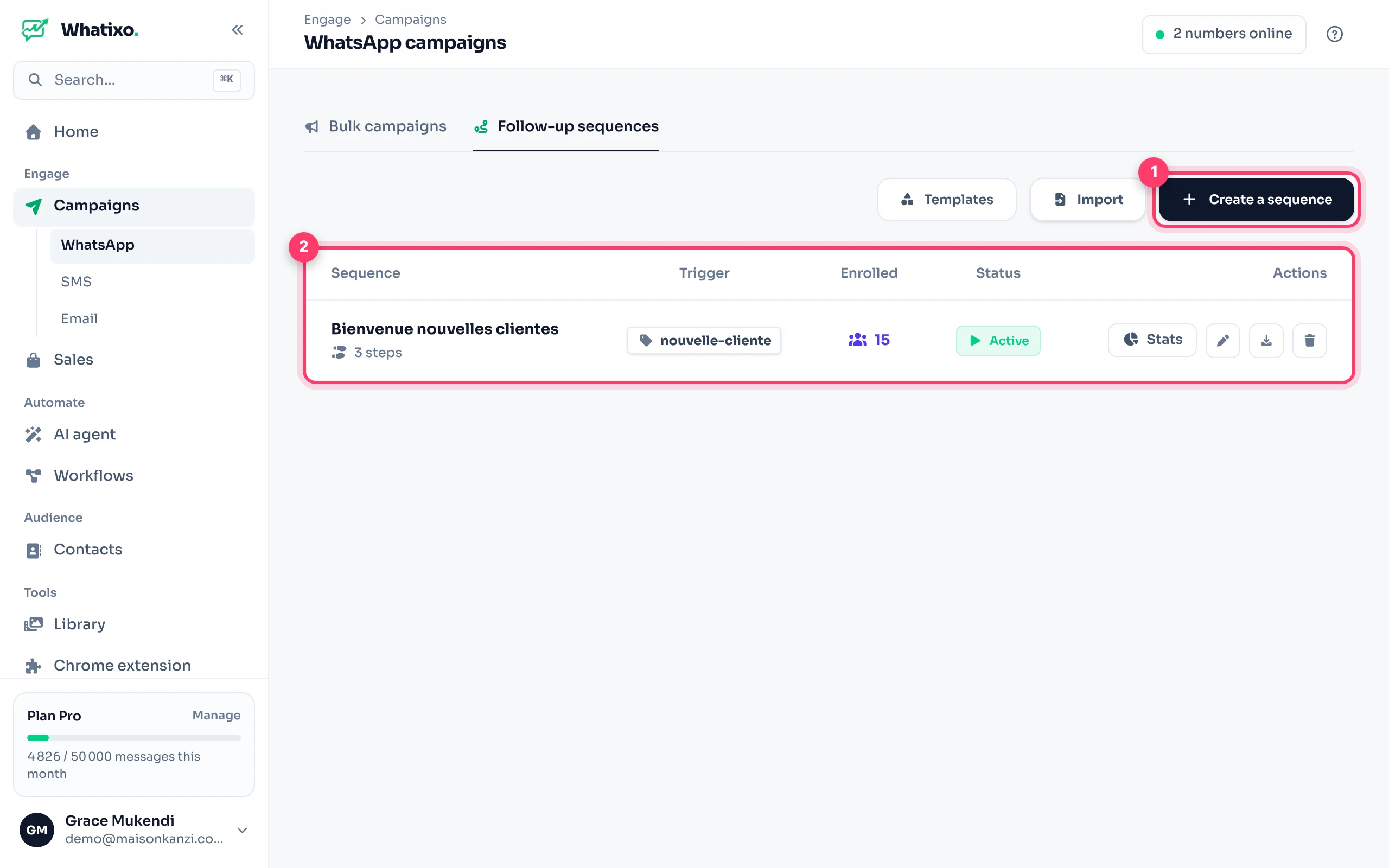
Create a sequence
Open the editor
Click Create a sequence.
Name, tag and number
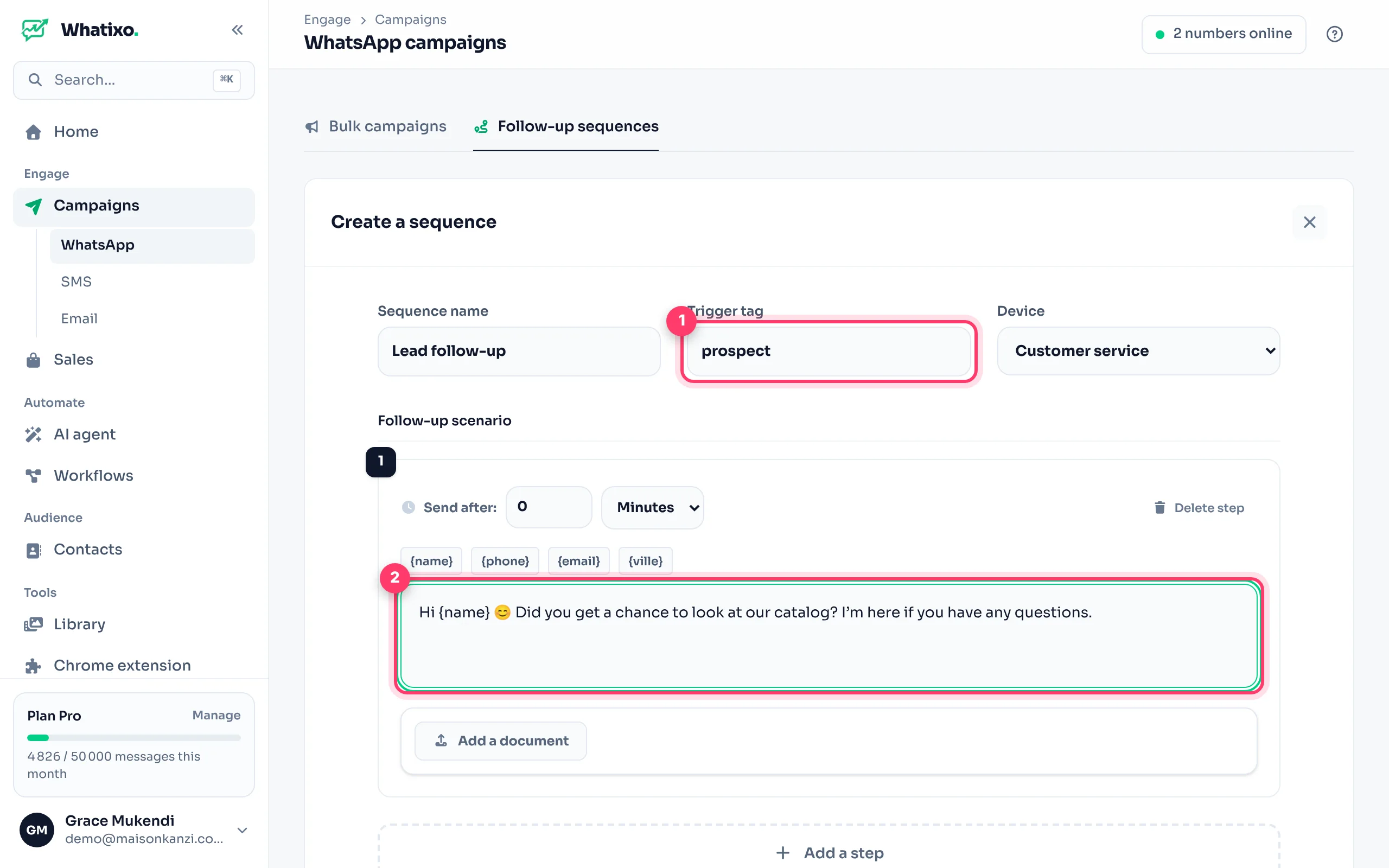
Give it a name (e.g. “Lead follow-up”), the trigger tag (e.g. lead) and the WhatsApp number that will send the messages.
Write the steps
For each step: the delay (in minutes, hours or days after the previous step), the message with its variables ({name}…) and, if needed, a document or image.
Add more steps and save
Add as many steps as you need (within your plan), then Save. The sequence is active immediately.
A delay of 0 on the first step sends the message as soon as the contact is enrolled. Put 1 day between the following steps so you don’t overwhelm your contacts.
Example: welcoming a new customer
| Step | Delay | Message |
|---|---|---|
| 1 | Immediate | Welcome {name} 💛 Thanks for your trust! Here’s our catalog: … |
| 2 | 1 day | Quick tip: our dresses run small, pick one size up 😉 |
| 3 | 3 days | {name}, 10% off your 2nd order with code MERCI10 🎁 |
Track and manage
- Enrolled: the number of contacts in the sequence. The Stats button shows sends, reads and clicks step by step.
- Turn on / off: the status button pauses the sequence without losing enrolled contacts.
- Edit, export, delete: the icons on each row. Export creates a reusable file; Import loads it back.
Prefer email and SMS? Email + SMS sequences work the same way, with a trigger tag.