
WhatsApp campaigns
A campaign sends the same message, personalized for each person, to a group of contacts: a promotion, a new collection, an invitation. Menu Engage → Campaigns → WhatsApp.
Create a campaign in 4 steps
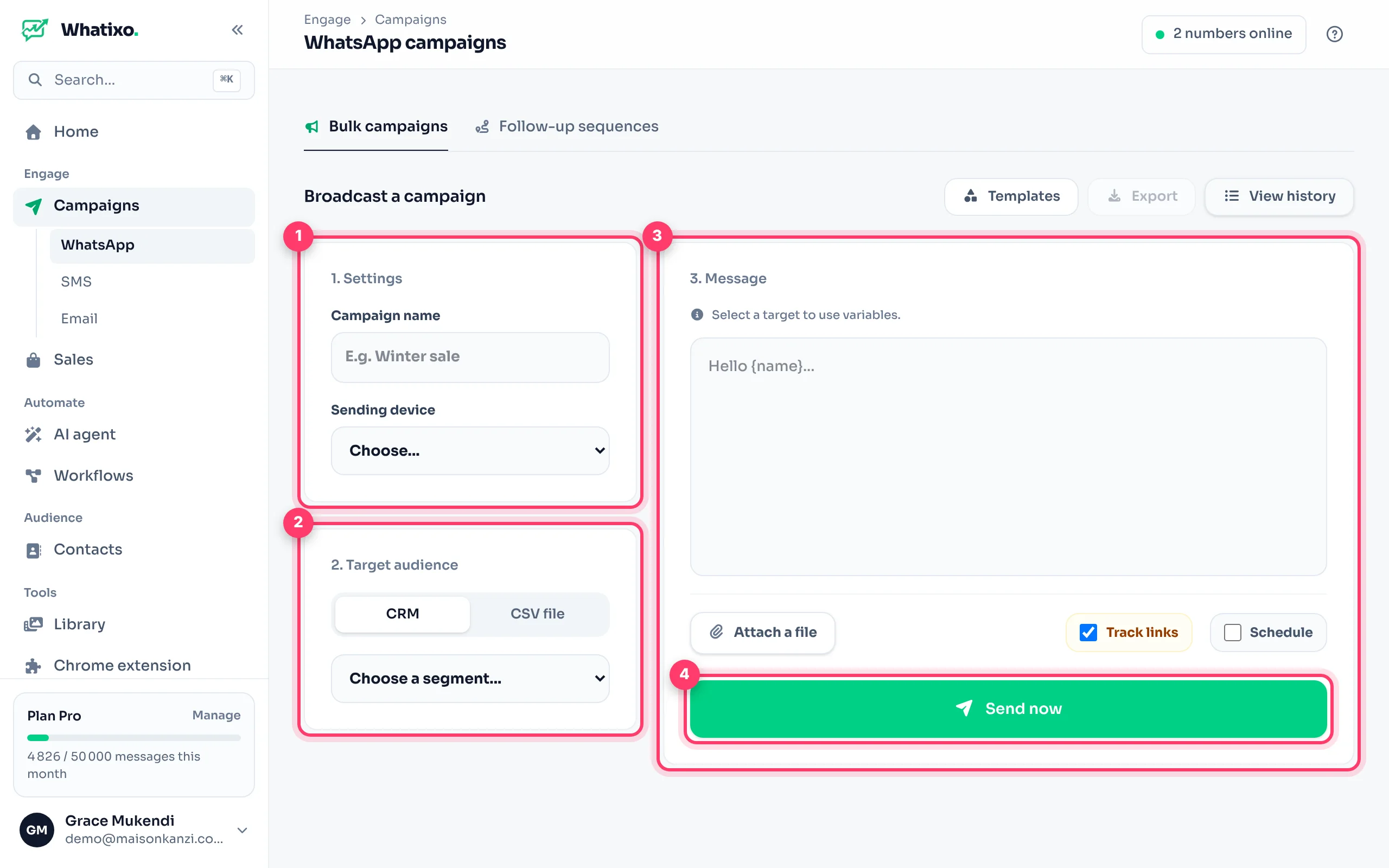
Settings
Name the campaign (to find it in the history) and choose the sending device: the WhatsApp number that will send the messages.
Target audience
Two options:
- CRM: choose a tag (e.g.
customer) or All contacts. See tags. - CSV file: drop a file with a phone column. Its columns become variables.
The message
Write your text. Click a variable such as {name} to insert it: each customer gets their own first name. Available variables depend on your target (name, phone, and your contacts’ fields such as {ville}).
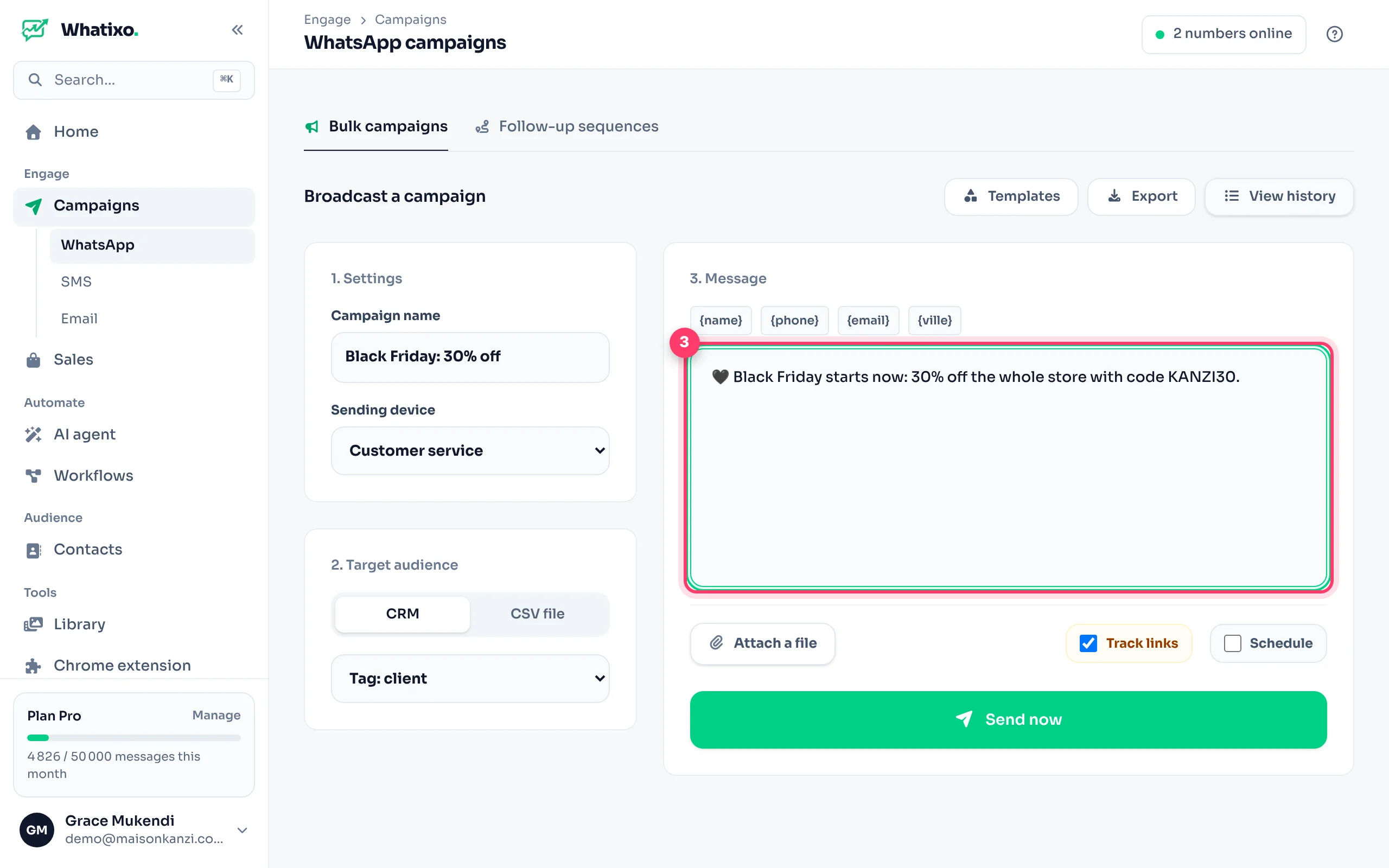
With Attach a file, add an image, a video or a document: your text becomes its caption.
Send or schedule
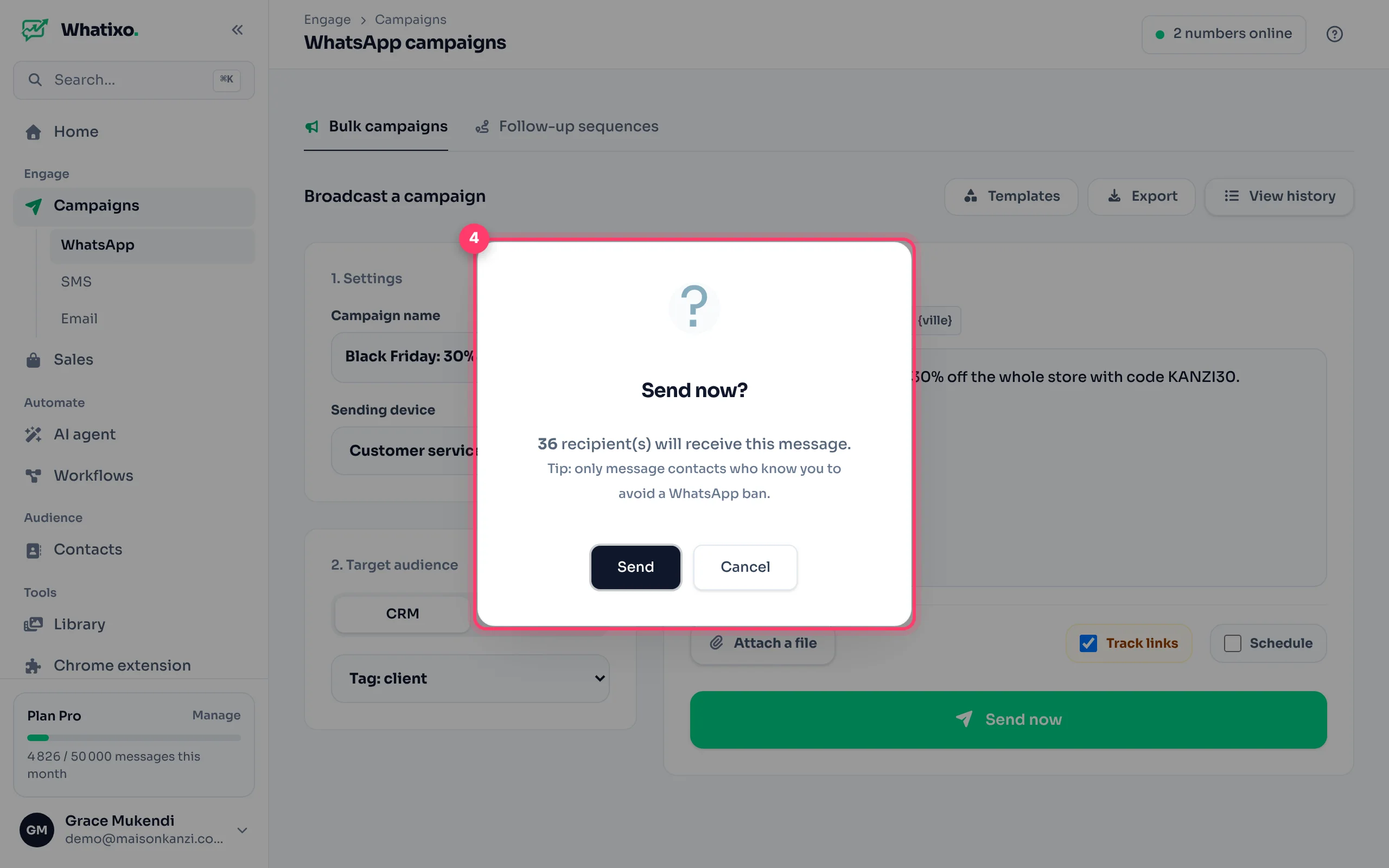
Tick Schedule to pick a date and time, otherwise click Send now. A confirmation always shows the exact number of recipients before anything goes out.
Track the results
Click View history: each campaign shows its status (scheduled, running, completed), messages sent, read rate and click rate. The stats button opens the details.
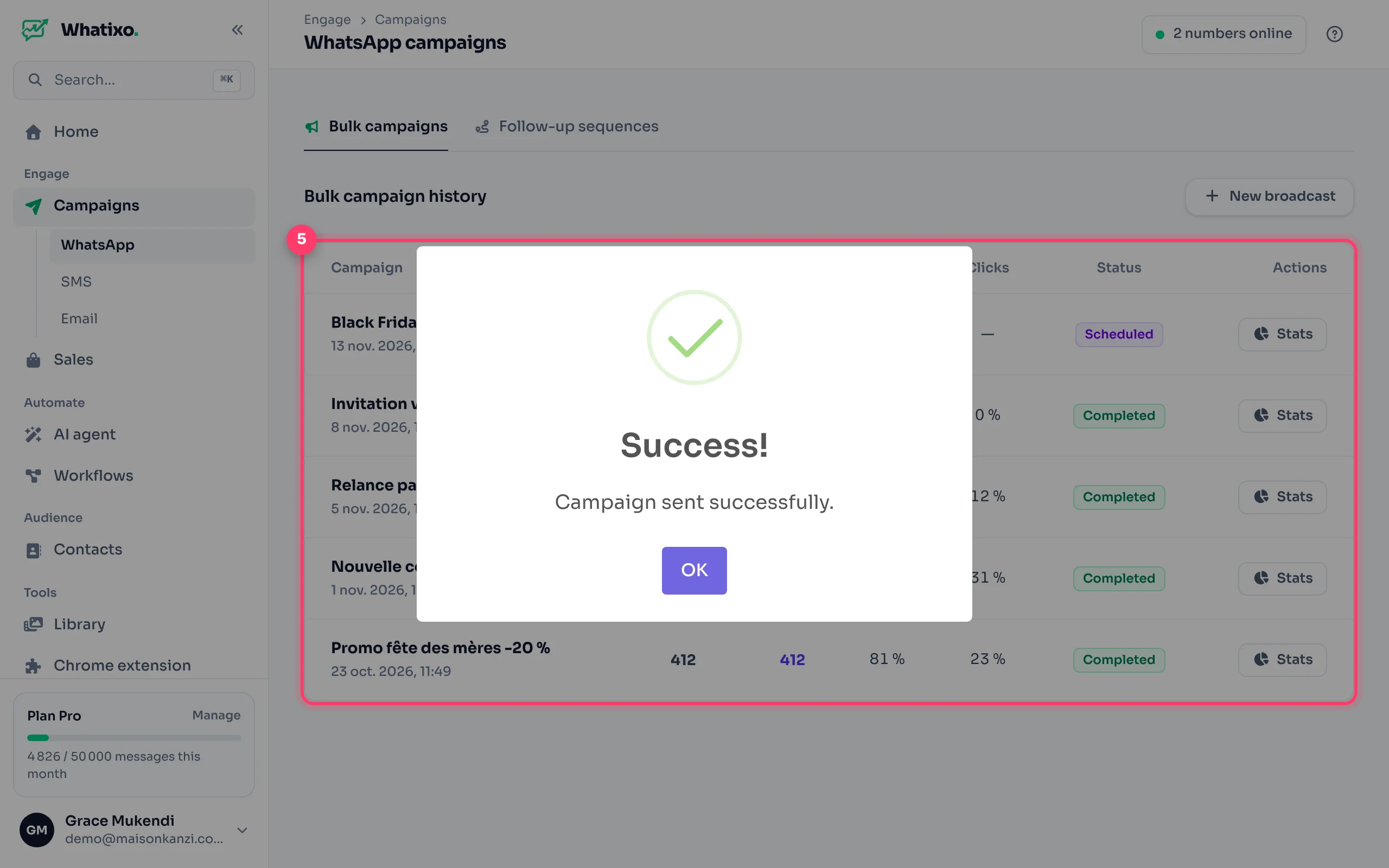
Track links (ticked by default) replaces the links in your message with short links that count clicks. A click can also trigger a workflow (for example, a follow-up to interested people).
Save time with templates
- Templates opens ready-made campaign templates (see Library).
- Export saves your message as a reusable template (
.jsonfile) to share with a colleague or re-import.
Tips for great results (and zero blocks)
- Message people who know you: customers, leads who wrote to you, subscribers.
- Personalize: a first name and one useful sentence beat a long ad.
- One clear ask: “Reply YES to book”, “See the collection here”.
- Pick the time: late morning or early evening, never at night.
- Offer an opt-out (“Reply STOP to stop receiving our offers”) and honor it.
Whatixo automatically spaces sends (1 to 5 minutes between two messages) to mimic a human pace: a 300-contact campaign takes several hours. That’s normal, and it protects your number. On a brand-new number, start with a few dozen messages a day and increase gradually.
Go further
- Automatically follow up with people who didn’t reply: Follow-up sequences.
- Reach customers without WhatsApp: SMS campaigns.
- Send from WhatsApp Web, with your own phone: Chrome extension.