
Email + SMS sequences
A sequence sends a series of emails and texts to every new contact, at the right time: welcome on day 0, a tip on day 2, an offer on day 7, an SMS reminder before the offer ends. Menu Campaigns → Email, Sequences tab.
Create a sequence
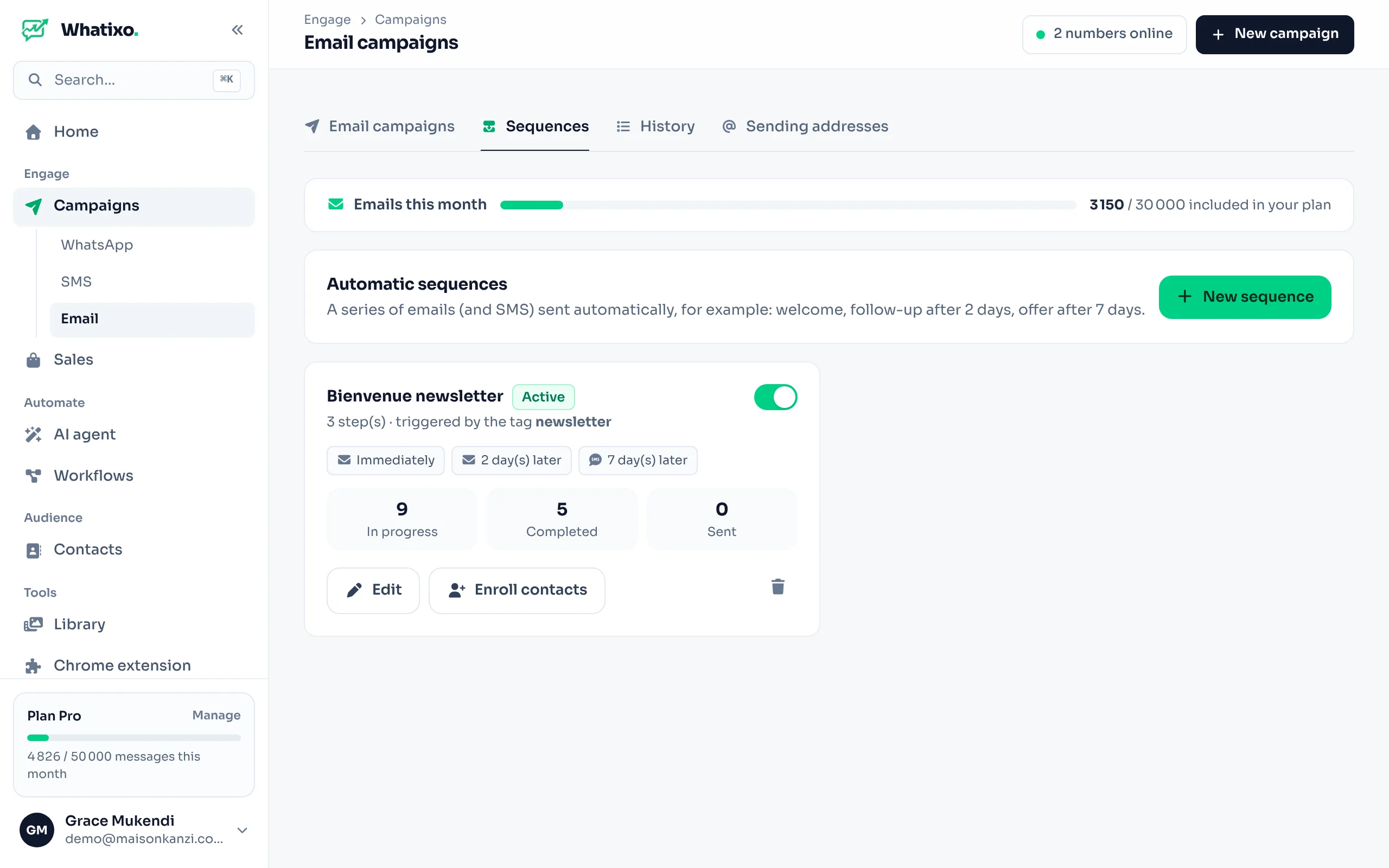
New sequence
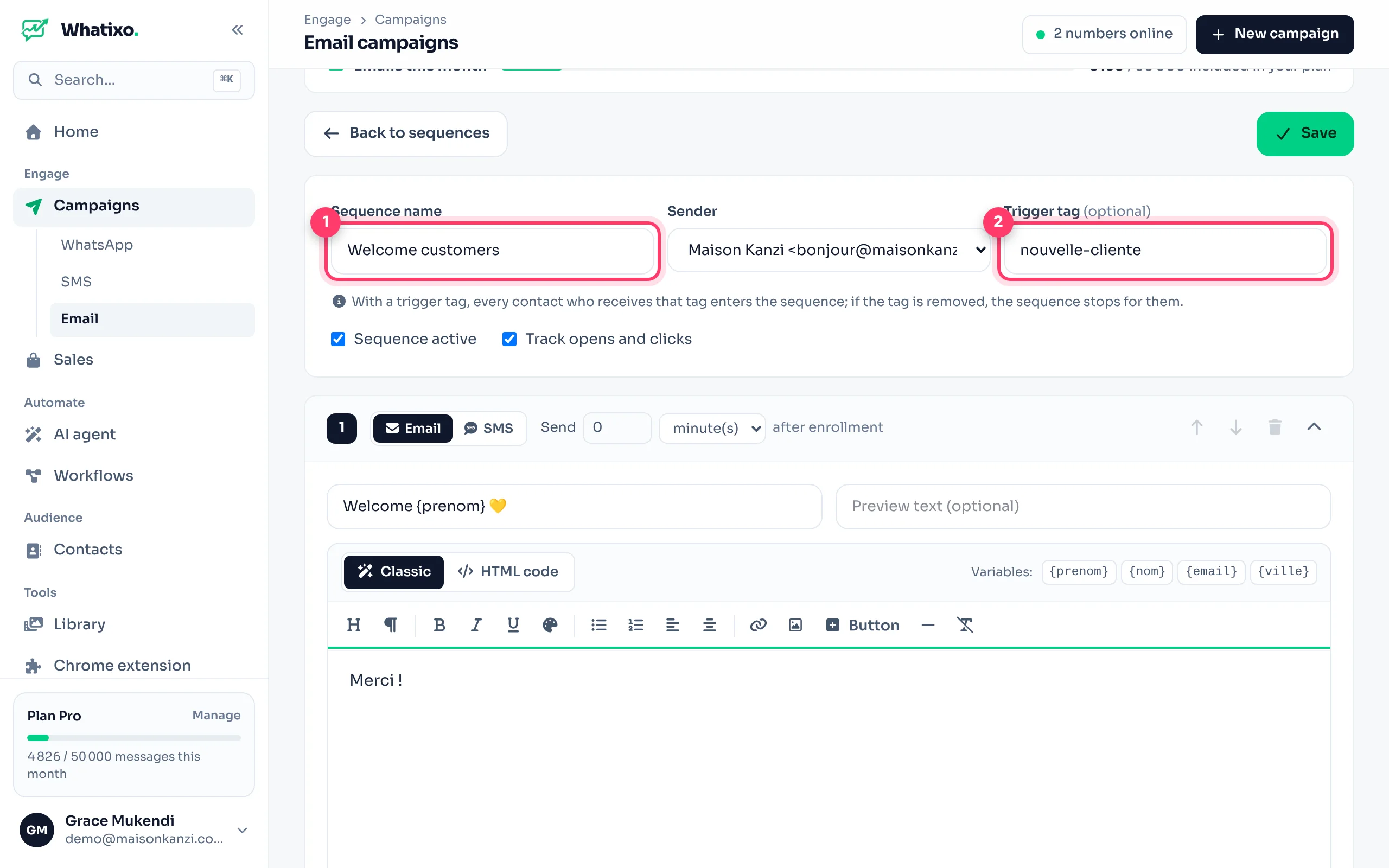
Click New sequence. Name it and choose the sending address.
Trigger tag (optional)
Contacts who get this tag are enrolled automatically (e.g. newsletter, new-customer). Without a tag, you enroll contacts yourself or from a workflow.
Add the steps
Each step is an email (subject, preview text, content in classic or HTML mode) or an SMS (sent with your default SMS provider, to the contact’s number). Set the delay after the previous step. The arrows reorder steps.
Save and turn on
Save, then make sure the sequence is active. You can choose to track opens and clicks.
Enroll contacts
- Automatically: by adding the trigger tag to a contact (import, edit, workflow, AI agent).
- Manually: the Enroll contacts button (a CRM tag, a file or pasted addresses).
- From a workflow: the Email sequence action (e.g. after a Shopify order).
The Enrolled contacts table shows where each person is. Someone who unsubscribes leaves all your sequences.
Example welcome sequence
| Step | Channel | Delay | Content |
|---|---|---|---|
| 1 | Immediate | “Welcome {prenom} 💛” + code WELCOME10 | |
| 2 | 2 days | “Our 5 favorite pieces right now” | |
| 3 | SMS | 7 days | “Your WELCOME10 code expires Sunday!” |
For a 100% WhatsApp sequence, use WhatsApp follow-up sequences.