
Plan and billing
Menu Settings → Subscription (or the plan card at the bottom of the menu). It shows your plan, this month’s usage, the other plans and your payment history.
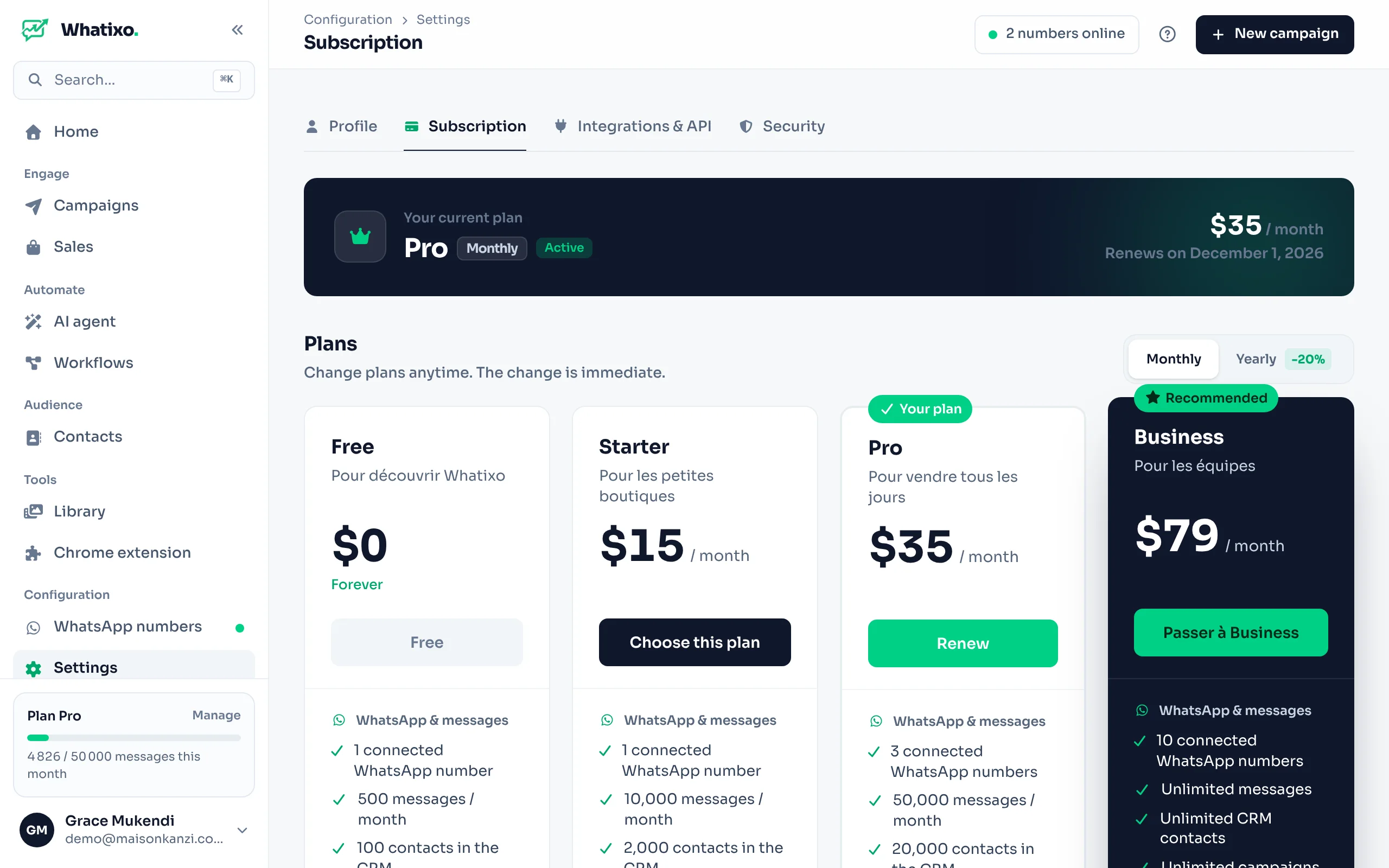
What a plan includes
Each plan sets monthly limits, grouped by theme:
- WhatsApp and campaigns: connected numbers, messages per month, CRM contacts, campaigns per month.
- SMS and email: SMS and emails per month (SMS are paid to your provider), automatic sequences.
- AI agent: monthly AI credits, knowledge bases, voice notes and images, expert AI.
- Automations: workflows, follow-up sequences and step count, integrations (Shopify, WooCommerce, webhooks, API), catalog, storage.
- Chrome extension: daily sends and extractions from WhatsApp Web, attachments, scheduling, CRM sync.
Current prices are on whatixo.com. Counters reset on the 1st of each month (and every day for the extension).
Change plan
Choose the billing period
Monthly or Yearly (cheaper over the year).
Choose the plan
The change is immediate after payment. Remaining days of your current subscription are kept if you renew early.
Pay
On your first payment, your phone number is requested once. Accepted methods: bank card, Apple Pay, Google Pay and Mobile Money (Orange Money, M-Pesa, Airtel Money, MTN MoMo, Wave… depending on your country). Secure payment, no commitment.
When you get close to a limit (80% then 100%), you’re notified. A feature reserved for a higher plan shows a Pro badge: one click shows the plan that includes it.
History and invoices
The Payment history section lists each payment (date, plan, amount, status). For an invoice in your company’s name, write to support.
Earn free months
Invite other businesses with your referral link: you earn free subscription time when they subscribe.