
Contacts (CRM)
The Audience → Contacts menu is your customer book. Each contact has a name, a number, tags (labels) and custom fields (city, email…) that you reuse in your messages.
The three tabs
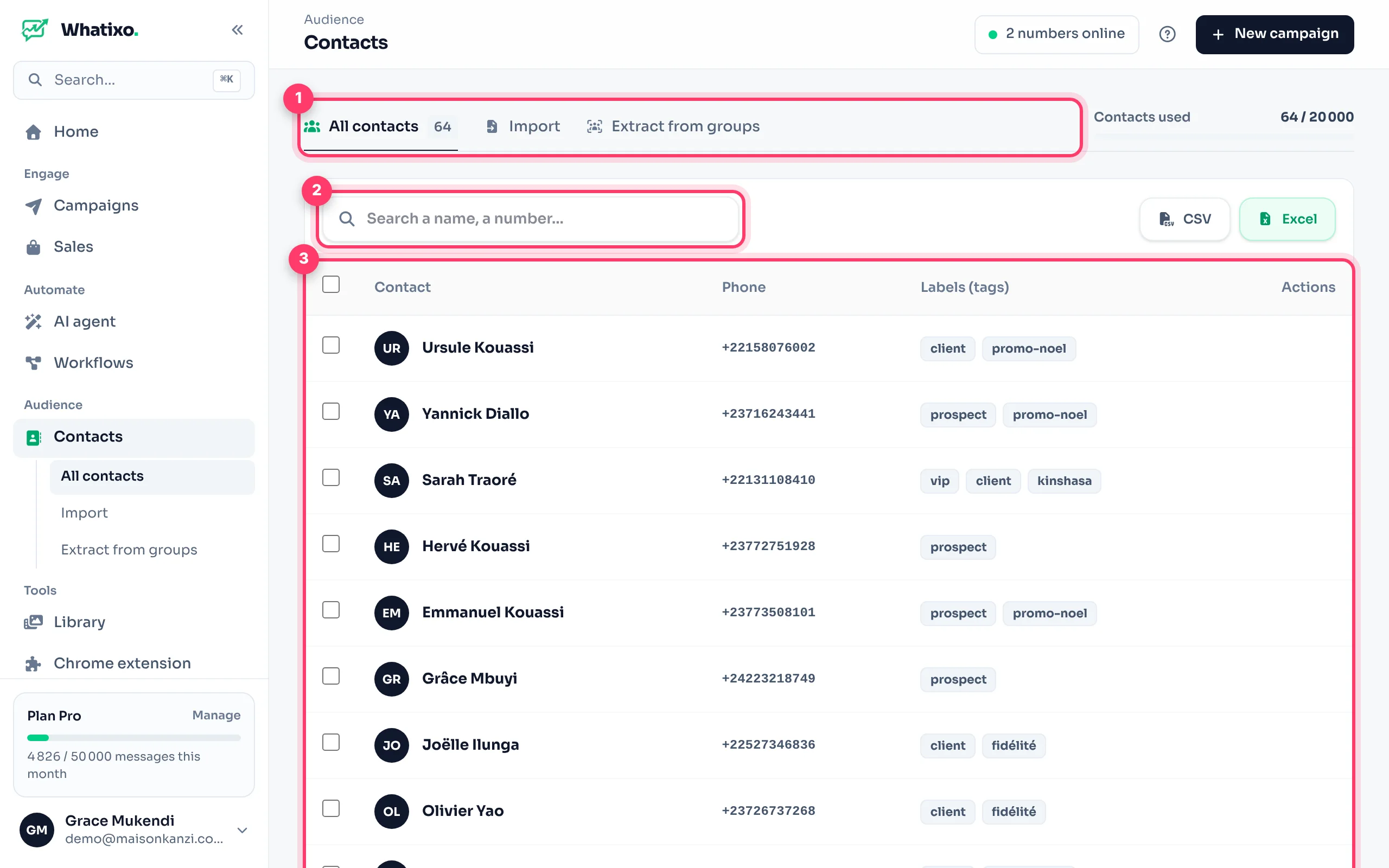
- All contacts: the list, search, editing and export.
- Import: add contacts from a CSV file.
- Extract from groups: collect the members of your WhatsApp groups.
Tags: the key to everything
A tag is a free label: customer, vip, lead, kinshasa… A contact can have several, separated by commas. Tags are used everywhere:
- to target a campaign on WhatsApp, SMS or email;
- to automatically start a follow-up sequence or an email sequence;
- in workflows, which can add a tag (e.g. “asked for the price”).
Edit a contact
Click the pencil icon on a row: you can change the name, the number and the tags.
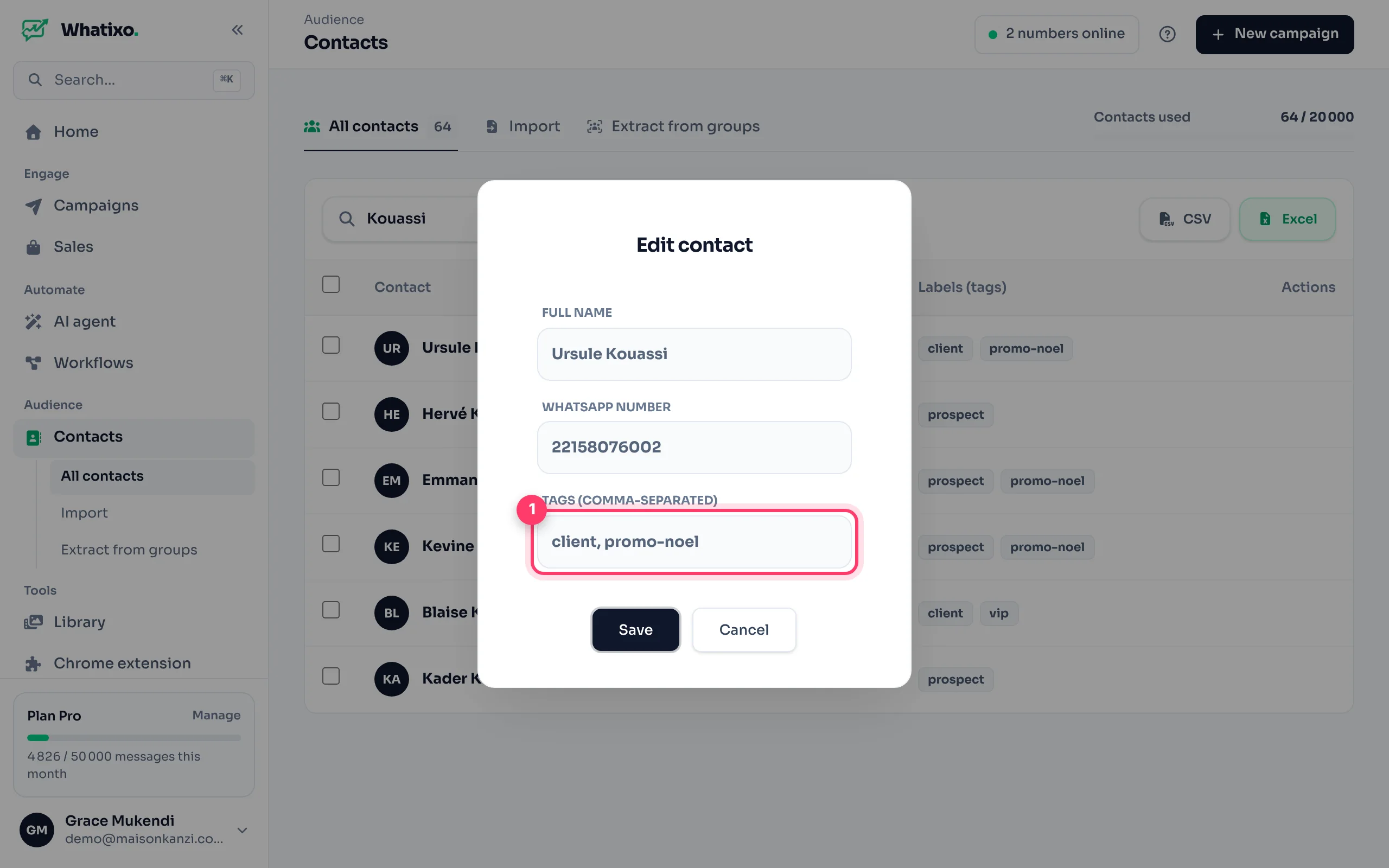
Adding a sequence’s trigger tag to a contact enrolls them in that sequence right away.
Import a file
Prepare the file
A .csv file (Excel → Save as → CSV) with at least a phone column. Numbers must include the country code, without “+” or spaces: 243812345678. Other columns (name, city, email…) become variables for your messages.
name;phone;city;email
Nadia Kalonji;243815550101;Kinshasa;nadia@example.com
Awa Konaté;2250701020304;Abidjan;awa@example.com
Drop it
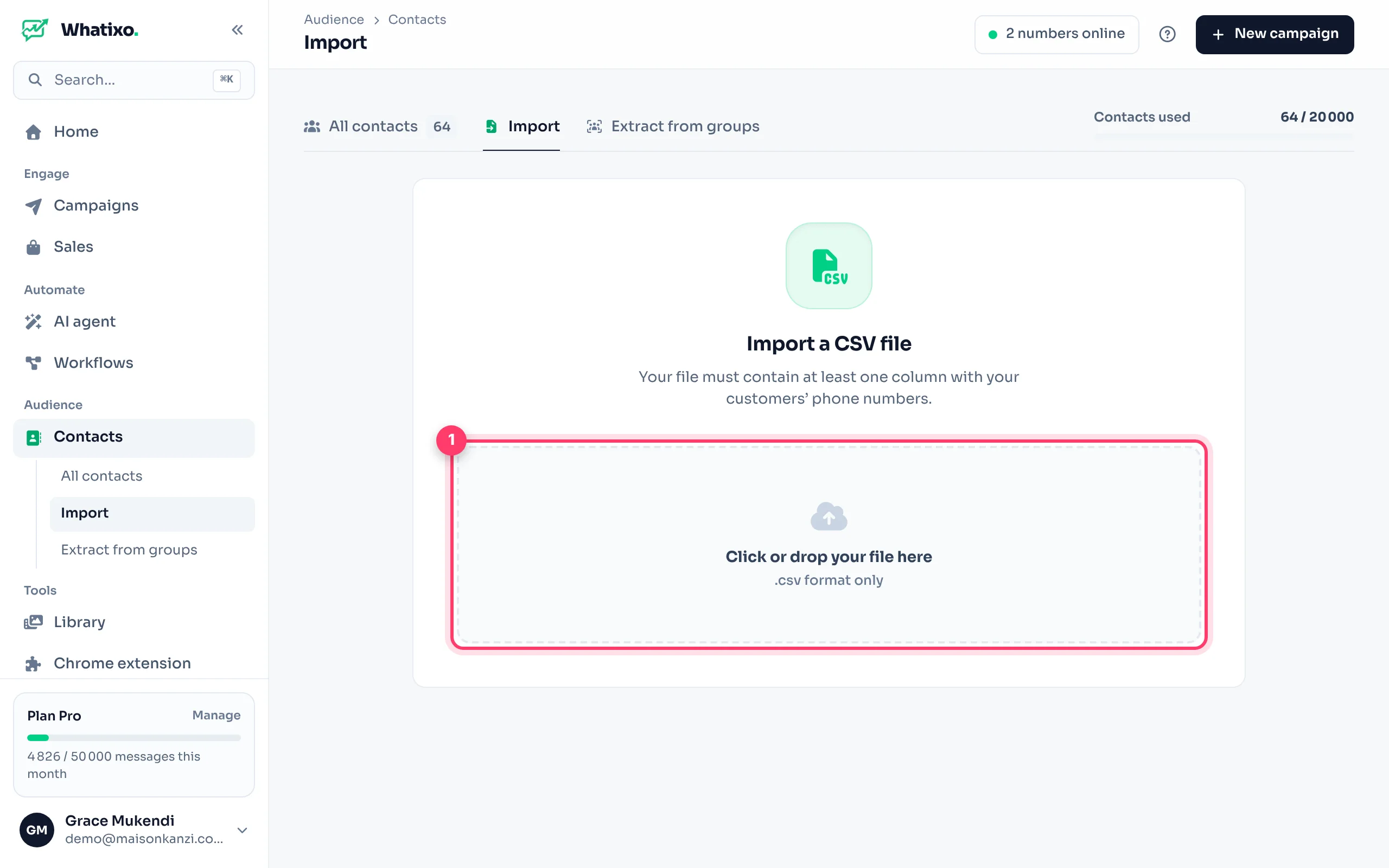
Import tab: click the area or drag your file in. Whatixo shows how many valid contacts it found.
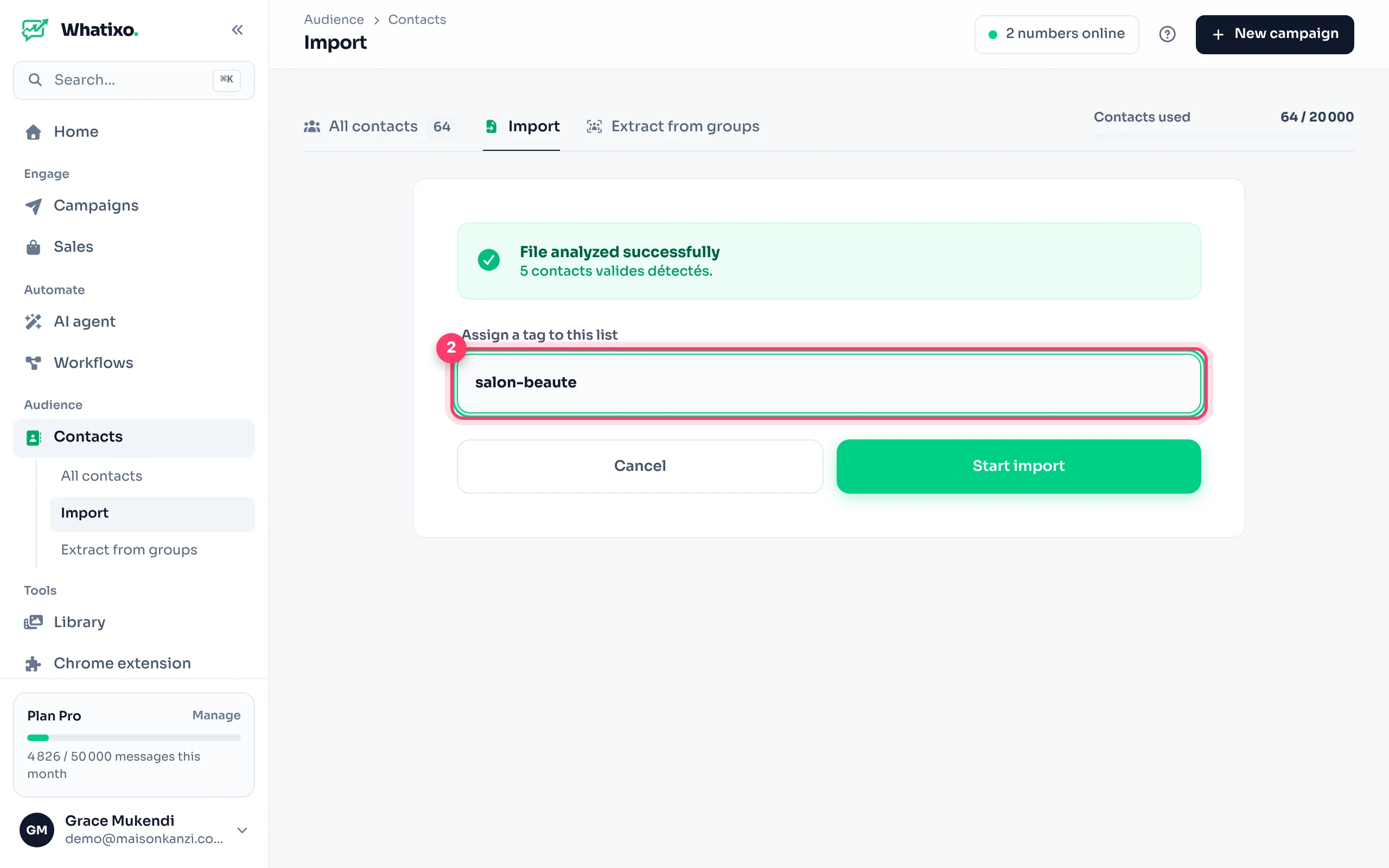
Add a tag and import
Choose a tag for the whole list (e.g. beauty-salon), then Start import. Existing contacts are updated with no duplicates, and the tag is added to their existing tags.
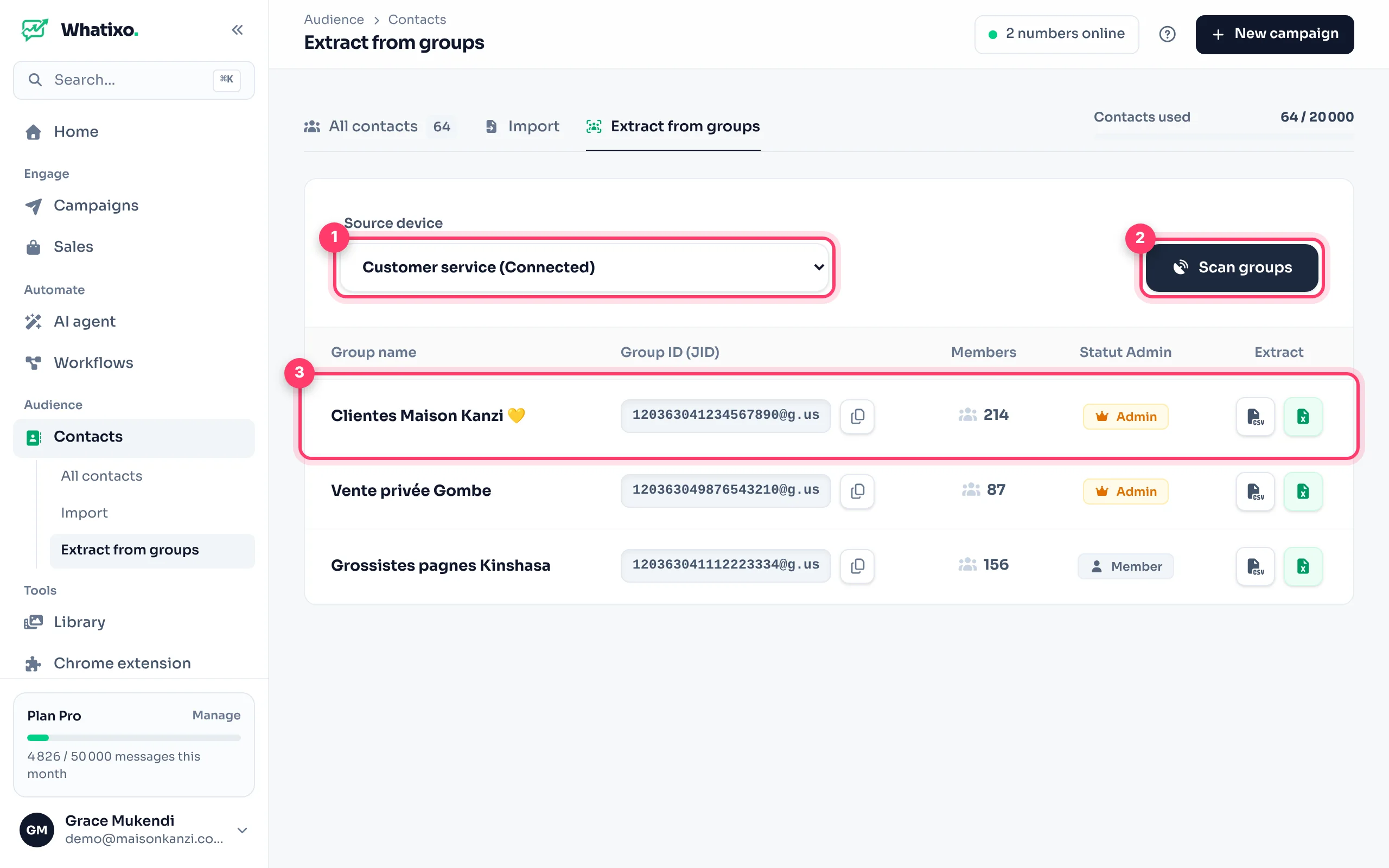
Extract your WhatsApp group members
- Extract from groups tab: choose the WhatsApp number that belongs to the groups.
- Click Scan groups: the list shows each group, its member count and whether you are an admin.
- Export a group’s participants as CSV or Excel with the buttons in the Extract column.
Not every group member has agreed to receive your messages. Introduce yourself, offer something useful and always allow people to opt out. WhatsApp also hides some members’ numbers: those can’t be exported.
Need to extract from WhatsApp Web, with your saved contacts, your chats or your WhatsApp Business labels? Use the Chrome extension.
Export and delete
- Export: CSV and Excel buttons above the list. The file contains name, phone, tags and date added.
- Delete: tick contacts, then use the delete button that appears. This cannot be undone.
The Contacts used gauge at the top right shows your plan’s limit. Contacts collected by the AI agent and those synced from the Chrome extension count too.