
SMS campaigns
SMS reaches every phone, even without internet or WhatsApp. Whatixo sends your texts through your own account with a provider: you pay your SMS at your contract price, with no middleman. Menu Engage → Campaigns → SMS.
1. Connect your SMS provider
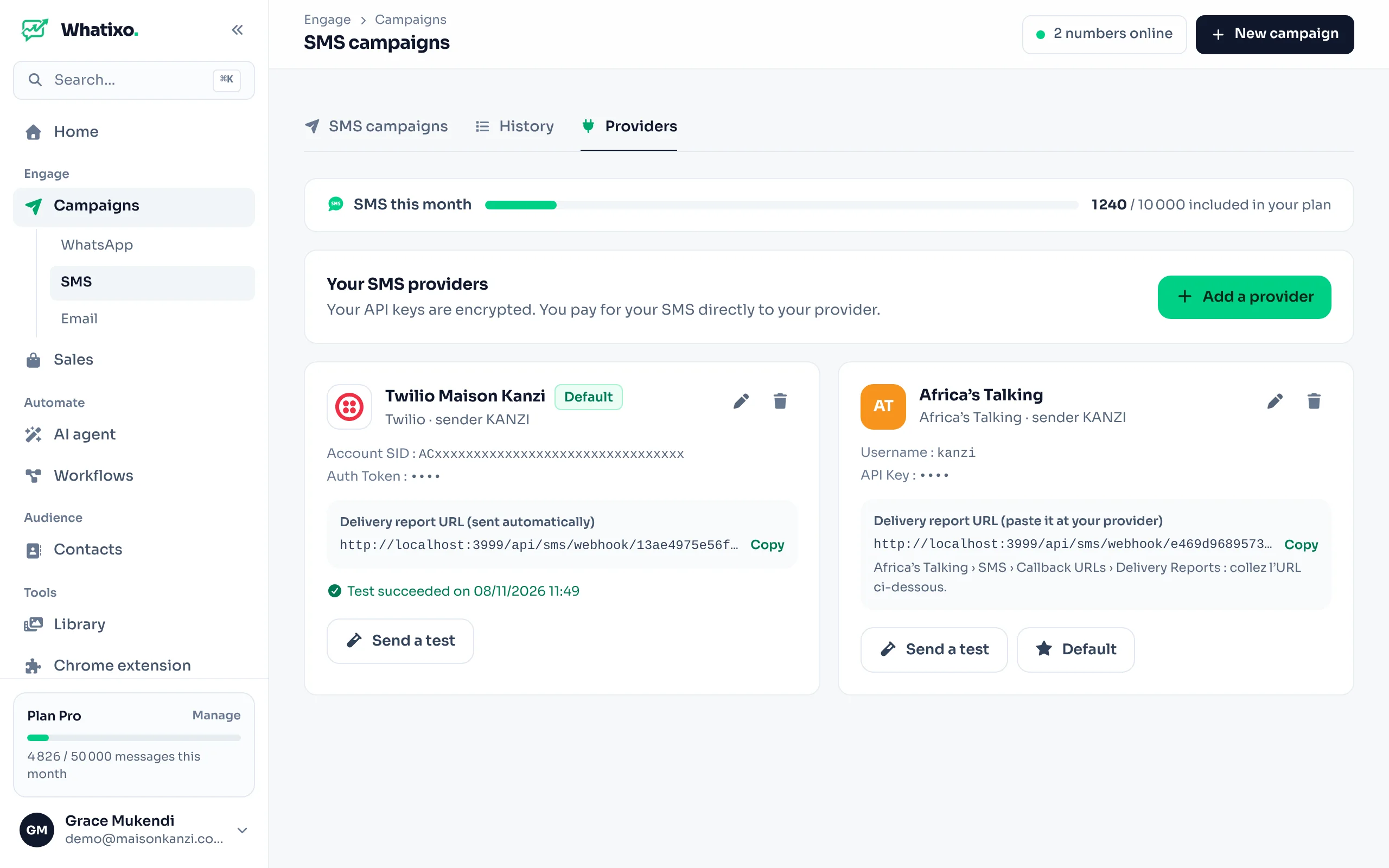
Open the “Providers” tab
Then Add a provider.
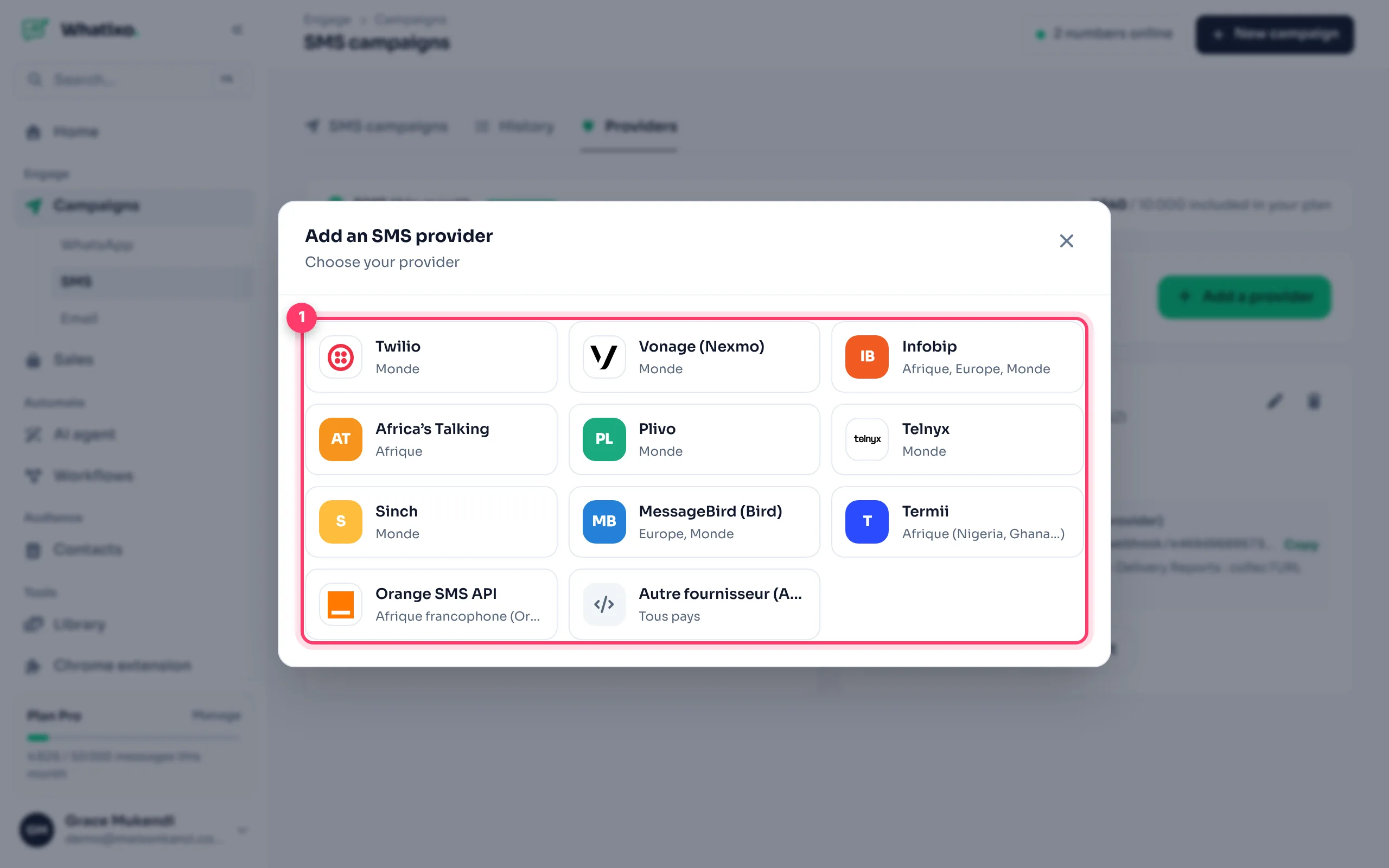
Choose your provider
Twilio, Vonage (Nexmo), Infobip, Africa’s Talking, Plivo, Telnyx, Sinch, MessageBird (Bird), Termii, Orange SMS API, or Other provider (HTTP API) for any service with an API.
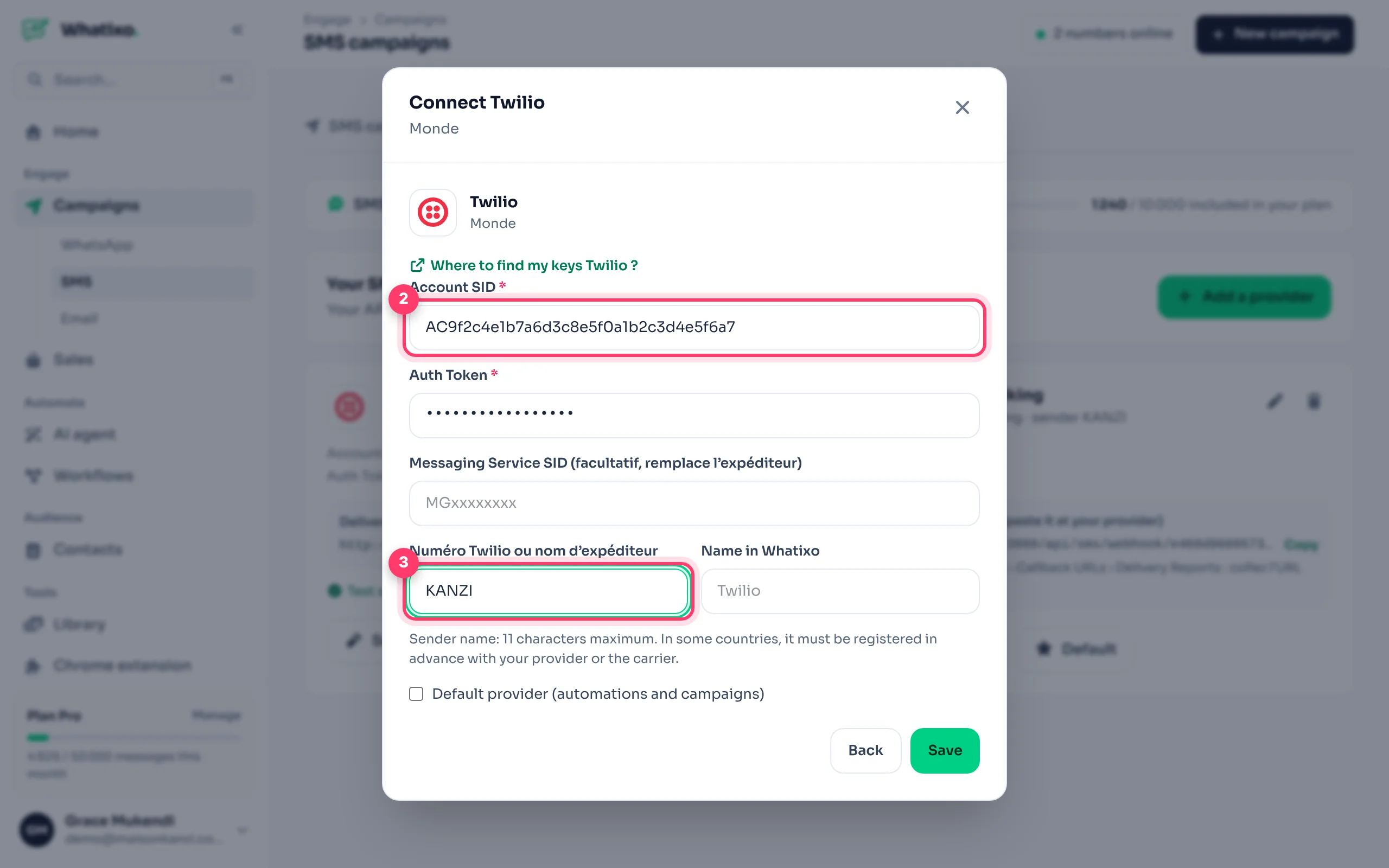
Paste your keys and sender
Fields depend on the provider (e.g. Twilio: Account SID and Auth Token). The “Where do I find my keys?” link shows where to copy them. Also enter the sender name (11 characters max, e.g. KANZI) or a number.
Save and test
Click Save, then Send a test on the provider’s card to receive an SMS on your phone.
Your keys are encrypted and never shown again. In some countries, the sender name must be registered in advance with the provider or carrier: check with them.
Delivery receipts: each provider has a callback address (Copy button on its card). Paste it in your provider account settings to see your texts move to “Delivered”.
2. Send an SMS campaign
Campaign
Name the campaign and choose the provider.
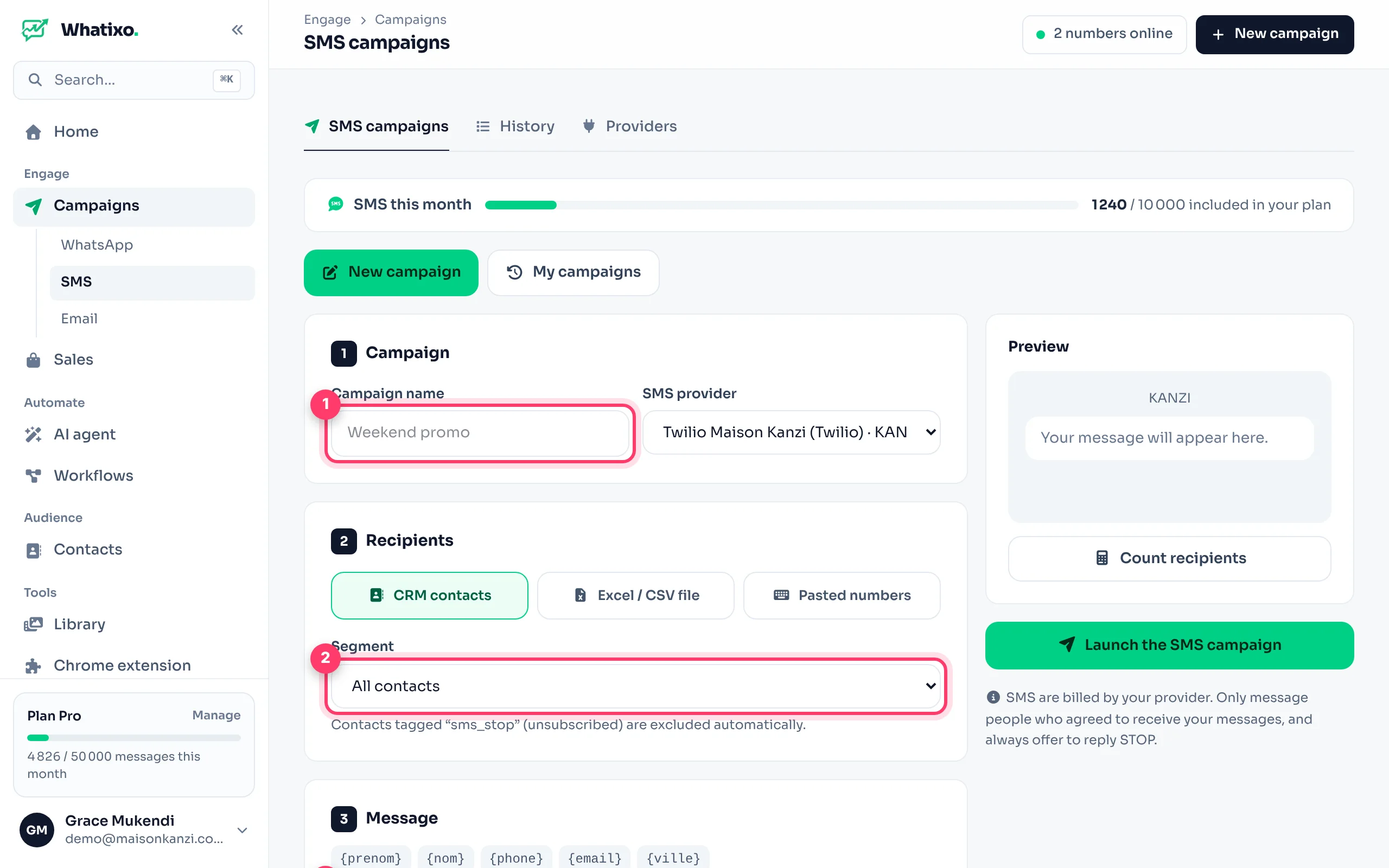
Recipients
Three options: CRM contacts (all or a tag), Excel / CSV file (a “phone” column is required, other columns become variables) or Pasted numbers (one per line, the first name can follow). For local numbers, set the country code to add (e.g. 243).
Message
Use {prenom} (first name), {nom} (last name), {ville} (city)… and click + Add the STOP notice. Whatixo counts characters and billed SMS per recipient: 160 characters per SMS (70 with emojis or some special characters).
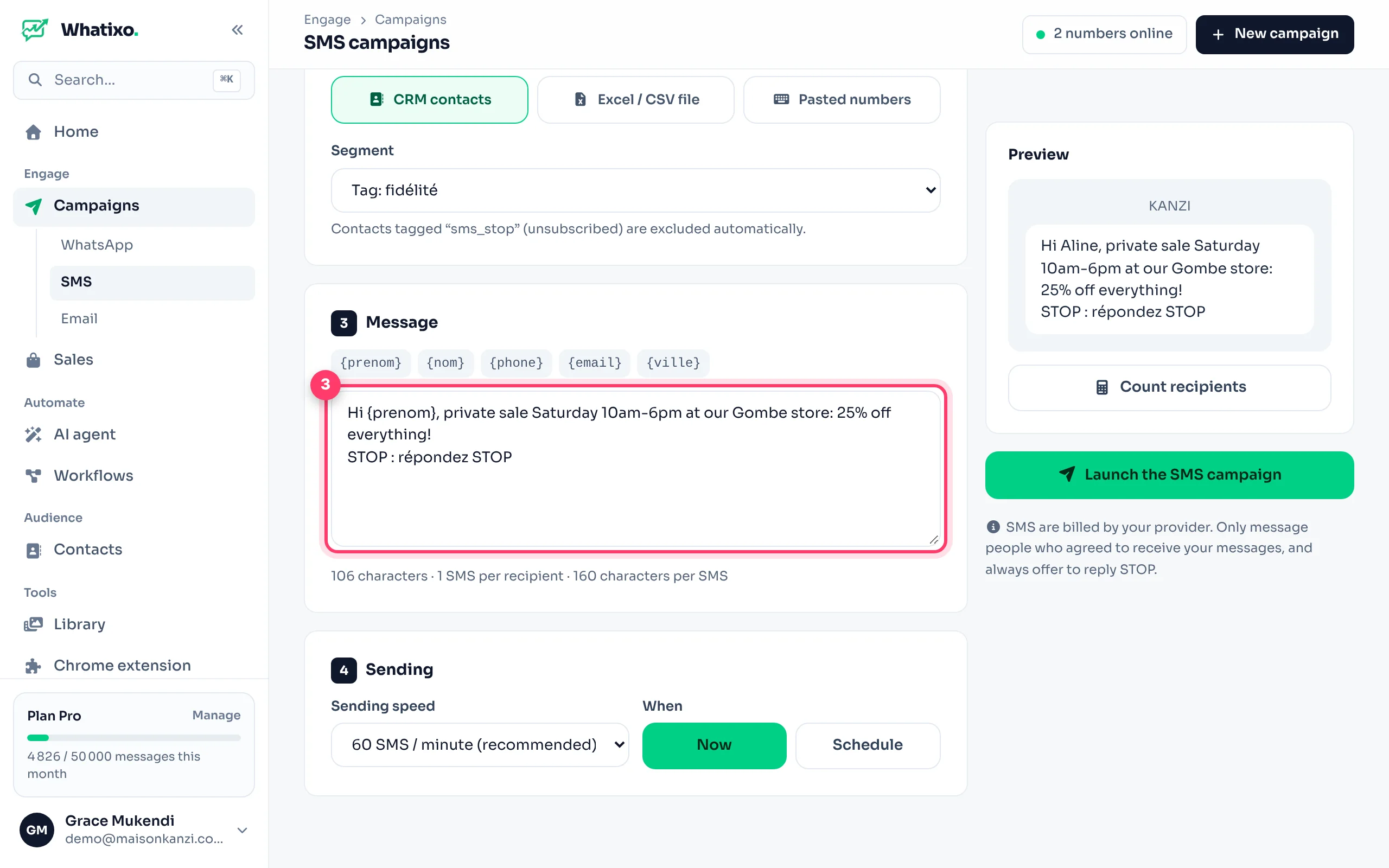
Check, then launch
Count recipients shows the number of valid numbers and total billed SMS. Choose the sending speed, Now or Schedule, then Launch the SMS campaign.
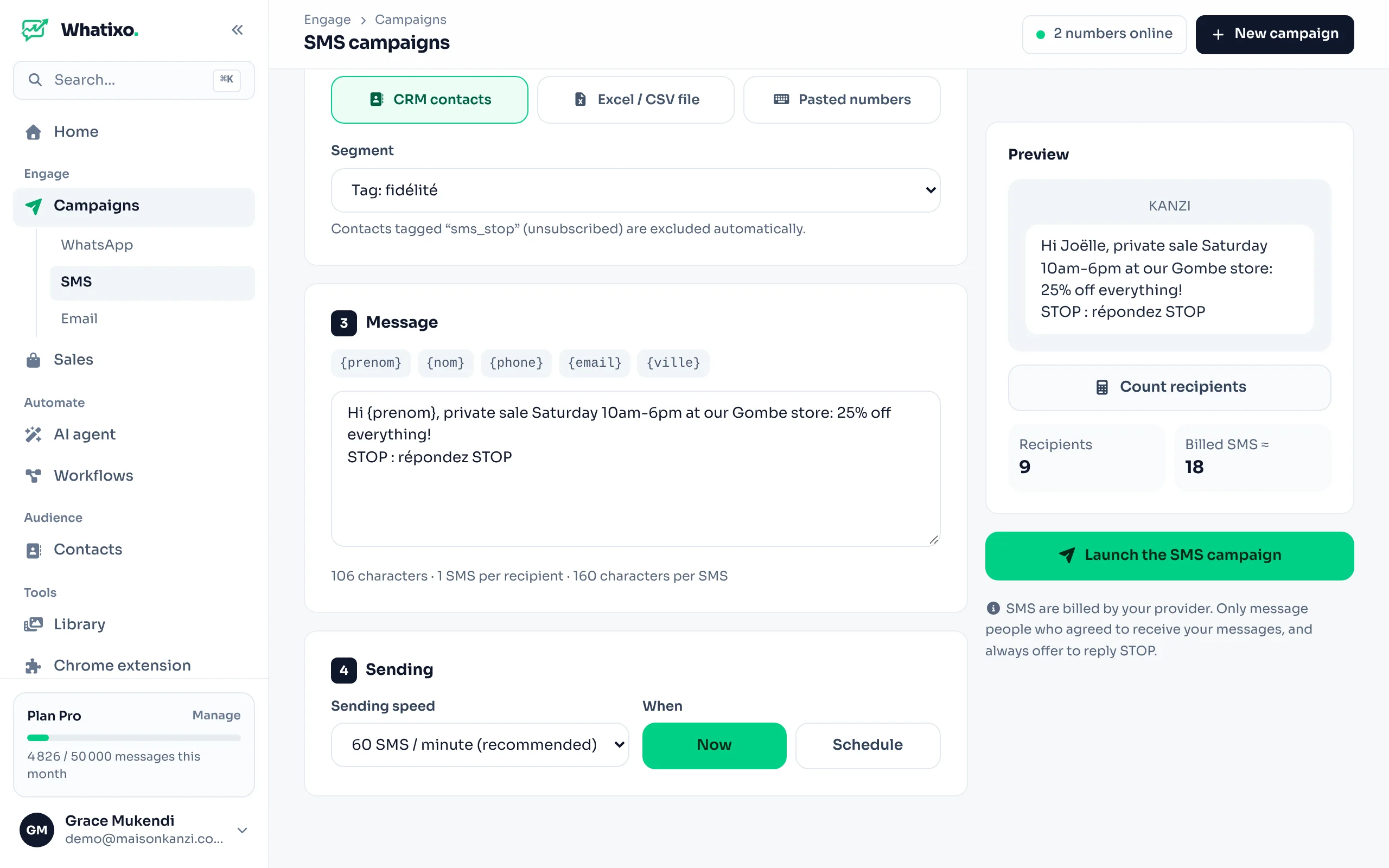
3. Track the sends
My campaigns shows each campaign’s progress: sent, delivered, failed. The History tab lists every SMS (campaign, workflow, test) with its status and any provider error.
Opt-outs (STOP)
When your provider forwards replies, a contact who replies STOP gets the sms_stop tag and is automatically excluded from all your SMS campaigns. It’s a legal requirement in many countries.
SMS elsewhere in Whatixo
- The SMS action in workflows: order confirmation, appointment reminder…
- SMS steps in email + SMS sequences.
- The provider marked Default is used by automations.
WhatsApp or SMS? WhatsApp for conversations and images, SMS for maximum reach and urgency. Both use the same CRM and the same tags.